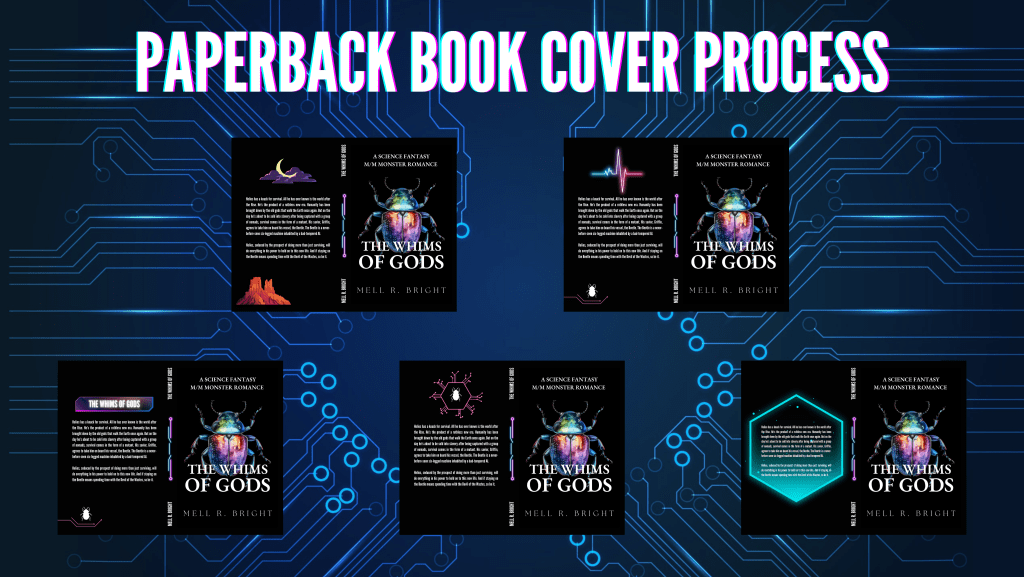
Yes, I do all my book covers myself from start to finish. As a new self-published author on Amazon Kindle Direct Publishing, I do everything myself, really. So, for full transparency and to help other authors like me, I figured I would offer you a glimpse of the process.
To begin with, I make the front of the book cover on Canva pro ($12.99 per month). And no, I’m not sponsored. Most of you, especially the ones that started like me on Wattpad, know of Canva. But it never hurts to talk about it. Canva really helps me create everything, from book covers, to Instagram posts, Tiktok videos, Facebook banners, and ads.
For the pint-ready PDF of my manuscript, I go to Reedsy.com. It’s another great self-published author tool, with a great online editor to create your ebooks and PDFs.
Once I have the print-ready PDF, I head out to the Amazon KDP cover calculator. It’s a page that helps you choose a paperback format and gives you the right dimensions with your page count. I enter those in Canva (create new design) and voila! You just have to upload the Amazon KDP cover template to know where you can put the different parts of your new paperback book cover.
Above are some of the different covers I created for THE WHIMS OF GODS paperback. Which one is your favorite? Leave a comment! I chose mine already, but it will stay a secret until the paperback book release!


 Mell R. Bright
Leave a comment